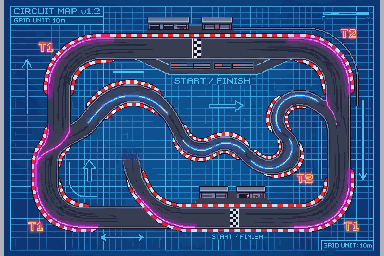
The Pixel Kart track editor lets you draw a circuit, paint its surfaces, place track objects, and test the result in your browser. Sign in to create and save your tracks, or open the Community tab to race circuits other players have shared.
Key Takeaways
- A free, browser-based track editor for Pixel Kart: draw the racing line, paint asphalt, grass, curbs and ice, then add gates and decorations.
- Test your track instantly, save it, and select it from the tabs in the menu.
- Share your tracks with everyone, race circuits built by other players, and vote for the ones you love.
- Even without an account you can hop in and race community tracks. Sign in when you want to start building your own.
Design a track, your way
Open the editor from the Pixel Kart page (look for the Editor button next to Play, or the wrench badge on the game card). Start from a clean oval or from a copy of one of our built-in tracks, then make it yours:
- Draw the racing line point by point and bend it into hairpins, chicanes and long sweepers.
- Paint the surface: smooth asphalt for speed, grass and dirt to punish mistakes, ice for a real test of nerve, and curbs to line your corners.
- Place the start, the finish and the gates so every lap counts.
- Add decorations: cones, tire stacks, trees, billboards and ramps to give your circuit some personality.
Choose Sunset, Neon, or Snow for the setting. The editor checks whether the layout meets its driving requirements. A valid layout still needs a test run: a corner can be technically passable and awkward to drive.
Test it, save it, race it
Use Test run to drive your layout. Check the start, gates, tight turns, and any surface changes. Return to the editor to adjust a problem, then test again. Saved circuits appear under My Tracks beside the built-in Default tracks.
You can keep up to three tracks. To make room for another, edit an existing track or clear a slot you no longer need.
Share with the world
Set a saved track to public to include it in the community gallery. Other players can find and race it. Sign in to vote for a track. The gallery offers sorting and a name search to help you find a circuit.
You can race community tracks without an account. Open the Community tab, pick a circuit, and try a lap. If you want to vote afterward, sign in first.
Start building
- Open Pixel Kart and sign in.
- Tap Editor and pick a blank track or a copy of an existing one.
- Draw, paint, decorate, and Test run until it feels right.
- Save it and set it public when you want other players to find it.
Before sharing, drive a complete lap and check that the intended route is clear. For the racing controls, see the Pixel Kart guide, or browse the game catalog for other racing games.
Frequently asked questions
Do I need an account to build a track?
Yes. Sign in to create and save your own tracks. You can race public community tracks without signing in.
How many tracks can I save?
You have three track slots. Edit or clear an existing slot when you need space for another layout.
Does passing the editor check mean a track is finished?
No. The check validates requirements, but a test lap helps you find awkward corners or unclear routes before sharing.
Can I keep a track private?
Save it without setting it public. Set it public when you want it included in the community gallery.